
After you apply for an HKRN job, your status moves through shortlisting, the Deployment Offer Letter (DOL) and joining. Each stage below follows the official HKRN FAQ and the Deployment of Contractual Persons Policy, 2022. You check your offer letter on hkrnl.itiharyana.gov.in.
hkrnportal.com is an independent guide. Offer letters come only from the official portal through SMS links.
Phase 1: shortlisting
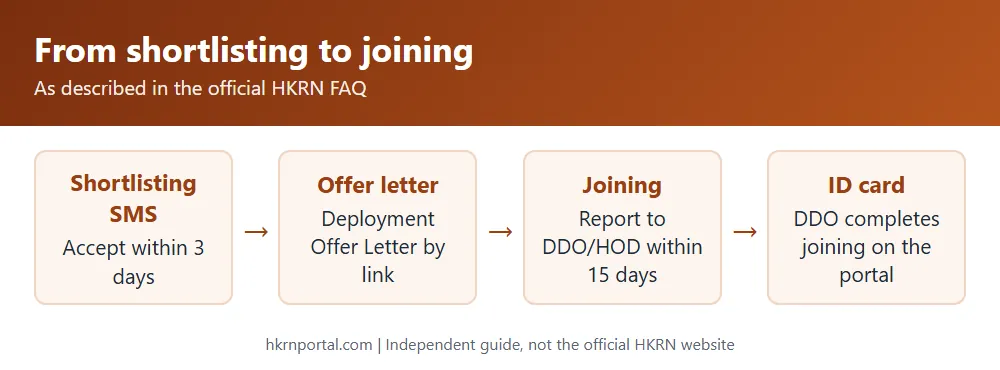
When you are shortlisted, you get a text message with a link to acknowledge your selection for that job. The link stays open for only 3 days. Open it, enter the details it asks for and accept the shortlisting.
Separately, clause 8.7 (as amended in 2025) says the Nigam asks for your consent by SMS or email before recommending your name. No response to the first offer keeps you off the merit list for one month, to the second for three months, and to the third you are debarred for one year.
Phase 2: Deployment Offer Letter
From the shortlisted pool, only the most meritorious candidates get the final Deployment Offer Letter through a link. Accept it and report to the DDO or HOD office named in the letter within 15 days, with all original eligibility documents. The DOL is valid for 15 days only. If it expires, you wait for the next shortlisting.
The FAQ warns that there can be a considerable delay between shortlisting and the offer letter because of internal procedures.
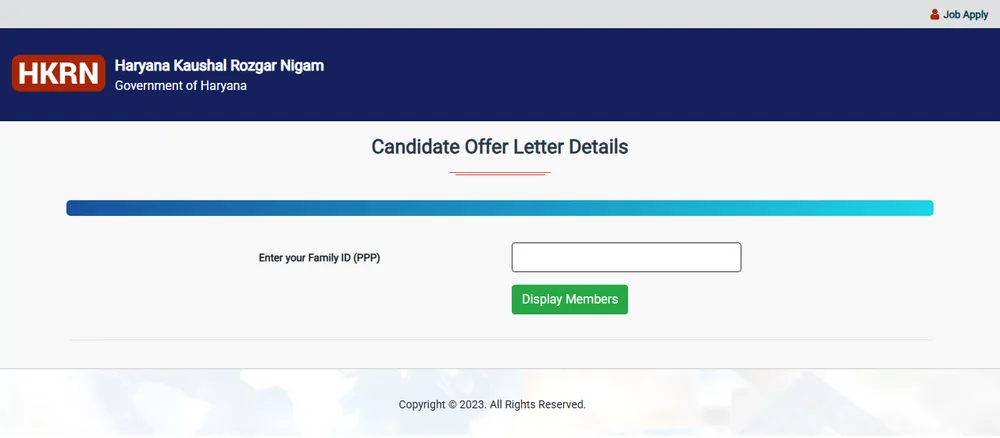
How to check your offer letter details
- Open hkrnl.itiharyana.gov.in and go to Candidate Registration and Login.
- Click “Click here to see your Offer Letter Details”.
- Enter your Family ID (PPP) and follow the steps on screen.
Offer letter problems
| Problem | What to do (official FAQ) |
|---|---|
| Cannot download the offer letter | The Secure Pin may have expired. Ask HKRNL at hkrn.gov@gmail.com to extend it. |
| Deleted the offer letter by mistake | If it is still valid, visit HKRNL in person to get it. |
| Cannot find the joining location | The DOL has the DDO’s name and contact number. Call them. |
Joining
At the office, the DDO or HOD checks your original documents and starts the joining on the HKRN portal through the Department Login, entering your bank, EPF and ESI details. After that the DDO can download your manpower ID card. The policy says the portal generates the identity card once joining is reported.
The FAQ gives these reasons a DDO may not give joining or may reject it: documents missing for the post, the post not being vacant at that time, or the DDO not having instructions from the department.
Frequently asked questions
Can I check HKRN status by Family ID? Yes, the offer letter details link on the official portal asks for your Family ID.
How long is the HKRN offer letter valid? 15 days. You must accept it and join within that time.
What happens after joining? You use the Employee Login for salary slips and certificates. See the salary slip guide.