
The HKRN portal has separate logins for job seekers, ex-servicemen, deployed employees and government departments. Use the one that matches who you are. Below is what each login on hkrnl.itiharyana.gov.in is for, based on the official portal pages and FAQ.
hkrnportal.com is an independent guide and has no login of its own. Enter your Family ID and OTP only on the official portal.
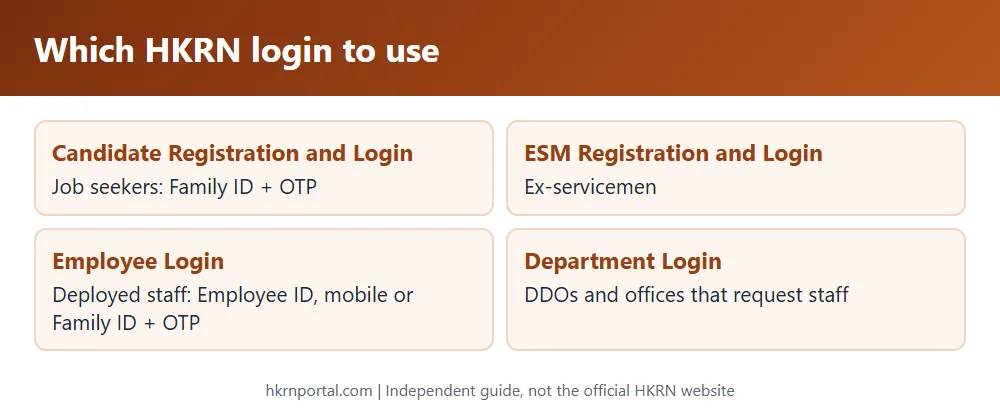
Candidate Registration and Login
This is for job seekers. On the portal menu, click Candidate Registration and Login. Enter your Family ID (PPP), click Display Members, choose your name and get the PPP verification OTP. New candidates continue to the registration form; registered candidates get into their application. The Help page also describes logging in with the registered mobile number and an OTP.
The same page has links for the Tentative Score Calculator and Offer Letter Details. New users should read the registration guide first.
ESM Registration and Login
Ex-servicemen have a separate menu entry, ESM Registration and Login. It works the same way, starting with the Family ID.
Employee Login
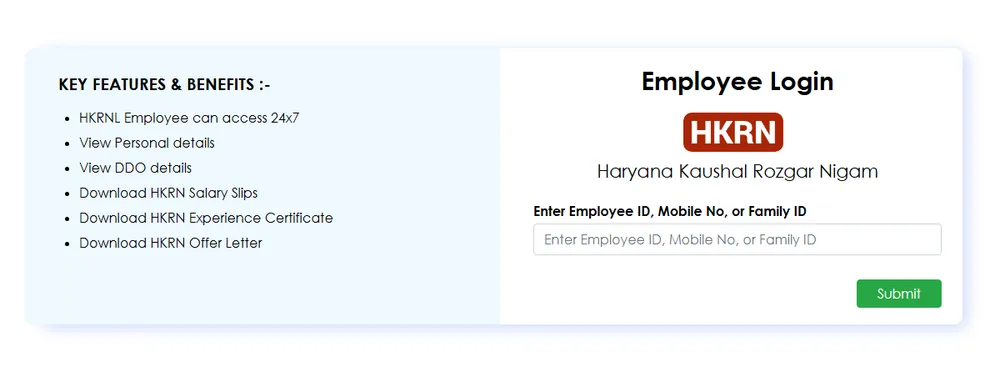
This is for people already deployed through HKRN. It is on the dept.hkrnl sub-site, linked as Employee Login at the top of the official home page. Enter your Employee ID, mobile number or Family ID, then the OTP. The login page lists what employees can do there:
- access the account 24×7
- view personal details and DDO details
- download HKRN salary slips
- download the HKRN experience certificate
- download the HKRN offer letter
Step-by-step help is on the salary slip page.
Department Login
Department Login is for government offices. Under the policy, each indenting organisation gets a user ID and password from the Nigam to place requests for staff online. DDOs and HODs also use it to verify documents and start the joining of selected candidates. Candidates do not use this login.
Overseas and private employer logins
The enterprises sub-site has Overseas Login for job applicants and employers, and a page for private enterprises and employers. See HKRN overseas jobs.
Login problems and fixes
| Problem | What the official FAQ and manuals say |
|---|---|
| OTP not received | The OTP goes to the mobile number in your PPP. Update the number on PPP at a CRID centre if it has changed. |
| Cannot log in | Check your details and internet connection. If it continues, email hkrn.gov@gmail.com with Registration ID, Family ID, Member ID and an error screenshot. |
| Wrong name or date of birth | Correct it on PPP (CRID), then click Update PPP Details in the Personal Information tab. |
| Need to add documents after final submit | Raise a portal re-open request. |
Frequently asked questions
Is there a username and password for HKRN candidates? The official candidate flow uses your Family ID and an OTP, not a separate password.
Which login gives the salary slip? Employee Login, with Employee ID, mobile number or Family ID and an OTP.
What is hkrnl login? It is the same thing. HKRNL is the company name, Haryana Kaushal Rozgar Nigam Limited.
Related: registration, offer letter and status, helpline.