
Staff deployed through Haryana Kaushal Rozgar Nigam download their salary slips from the Employee Login on the official portal, not from the candidate login. The Employee Login is linked at the top of hkrnl.itiharyana.gov.in and opens on the dept.hkrnl sub-site.
hkrnportal.com is an independent guide. Do not share your OTP with anyone, including people who offer to download the slip for you.
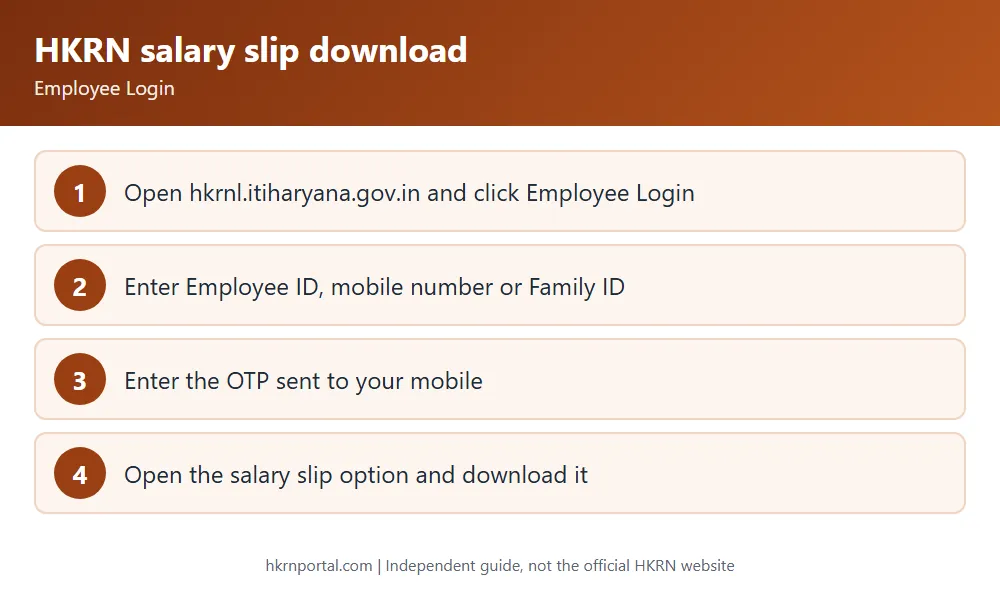
How to download the HKRN salary slip
- Open hkrnl.itiharyana.gov.in and click Employee Login at the top of the page.
- Enter your Employee ID, mobile number or Family ID in the box.
- Enter the OTP sent to your mobile and log in.
- Open the salary slip option.
- Download the slip and keep a copy.
The login page lists salary slip download as one of the employee features. The menu names inside the account can change, so look for the salary slip link after you log in.
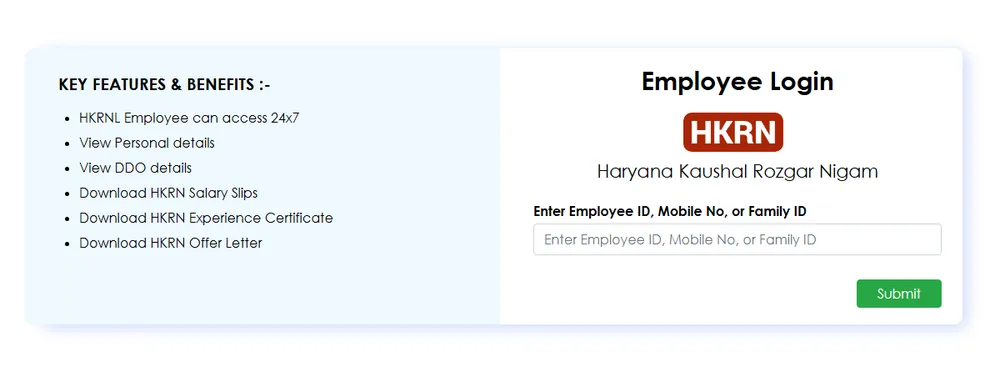
What else you can do in Employee Login
- View your personal details and your DDO’s details.
- Download your experience certificate. The FAQ says employees generate it from the Experience Letter tab.
- Download your offer letter.
Transfer requests are made on the portal through the Apply for Transfer Request link when it is open. See leave and transfer rules.
Salary slip not showing?
- Departments generate a monthly invoice to the Nigam for deployed staff, so a slip may not appear until that month is processed.
- The portal carried a notice that invoicing for the September 2026 wage month was temporarily on hold while the revised EPFO wage ceiling (Gazette Notification S.O. 5109(E) dated 17 September 2026) is put in place. A hold like this can delay that month’s slip.
- If your mobile number has changed, update it on PPP, since the login OTP goes to a mobile number.
- For other problems, write to hkrn.gov@gmail.com or lodge a grievance. See the helpline page.
How your pay is worked out
Your wage is based on the Nigam Wage Rates for your job level, district category and experience. The FAQ says the structure includes the basic wage plus EPF, ESI and LWF, and ESI does not apply above Rs 21,000 a month. Compare your slip with the HKRN wage rates table.
Frequently asked questions
Can I download the HKRN salary slip without the registered mobile? The login accepts Employee ID or Family ID, but the OTP still goes to a mobile number. Keep your PPP mobile number current.
Is the HKRN pay slip the same as the salary slip? Yes, both terms mean the monthly slip in Employee Login.